25. Maldev Academy Tool - MiniShell
Maldev Academy Tool - MiniShell
Introduction
This is another Maldev Academy tool, similar to HellShell, which allows encryption of raw payloads. The tool only supports RC4 and AES.
Features
- Outputs the decryption function of the selected encryption type
- Outputs the encrypted bytes as a
binfile
- Randomly generated keys for the encryption algorithms
Usage
                         ###########################################################
                         # MiniShell - Designed By MalDevAcademy @NUL0x4C | @mrd0x #
                         ###########################################################

[!] Usage: C:\Users\User\source\repos\MiniShell\x64\Debug\MiniShell.exe <Input Payload FileName> <Enc *Option*>  <Output FileName>
[i] Encryption Options Can Be :
        1.>>> "aes"     ::: Output The File As A Encrypted File Using AES-256 Algorithm With Random Key And IV
        2.>>> "rc4"     ::: Output The File As A Encrypted File Using Rc4 Algorithm With Random Key
Examples
.\MiniShell.exe .\calc.bin rc4 encpayload.bin- Use RC4 for encryption, write the encrypted bytes toencpayload.bin, output the decryption functionality to the console
.\MiniShell.exe .\calc.bin rc4 encpayload.bin > rc4.c- Use RC4 for encryption, write the encrypted bytes toencpayload.bin- output the decryption function torc4.c.
.\MiniShell.exe .\calc.bin aes calcenc.bin- Use AES for encryption, write the encrypted bytes tocalcenc.bin, and output the decryption function to the console.
.\MiniShell.exe .\calc.bin aes calcenc.bin > aes.c- Use AES for encryption, write the encrypted bytes tocalcenc.bin, and output the decryption function toaes.c.
Demo
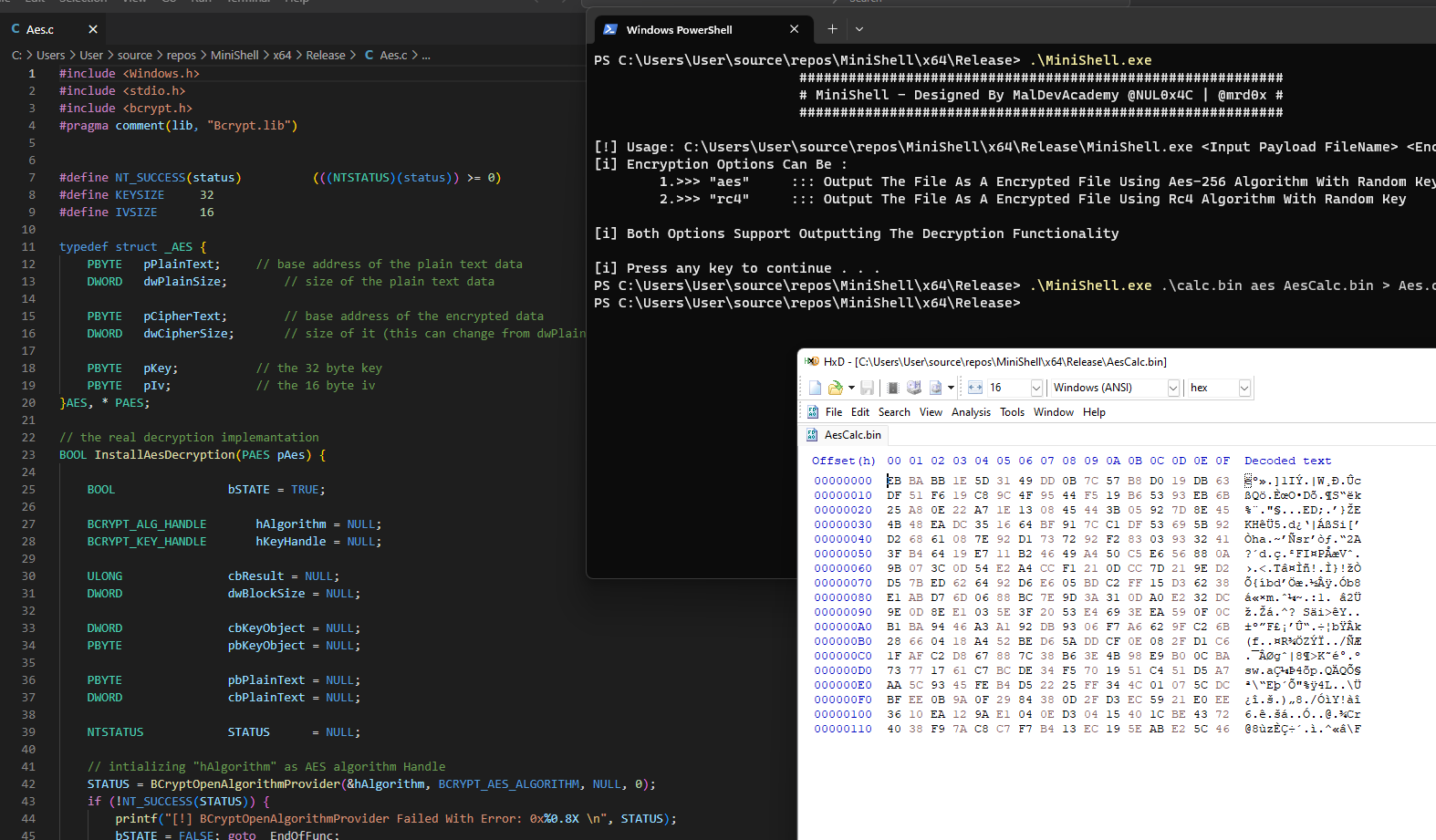
The image below shows MiniShell being used to encrypt the calc.bin file with the encrypted bytes being written to AesCalc.bin and the decryption function being saved to Aes.c.